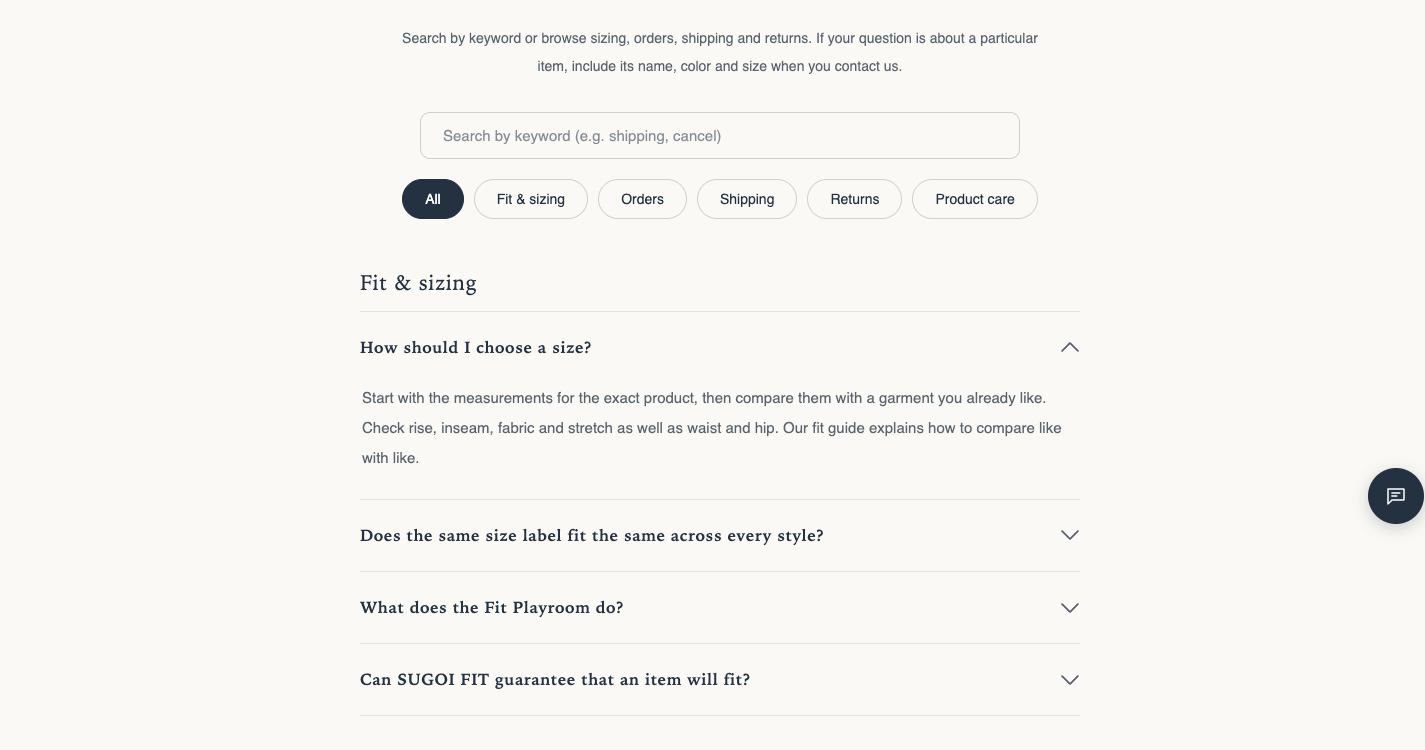
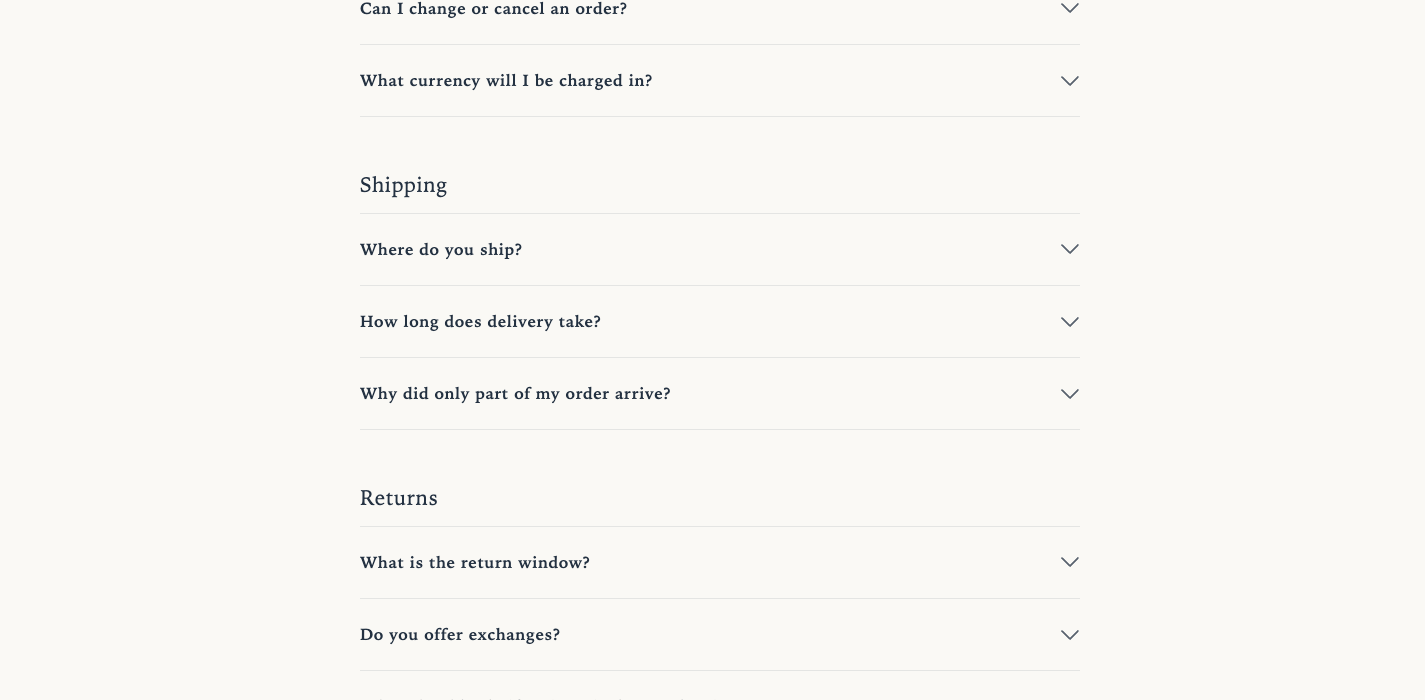
FAQ
A section for rendering a Frequently Asked Questions page. Questions and answers are registered in the faq_entry metaobject; the theme editor has no fields for entering questions. Questions registered and published under Content → Metaobjects in the admin are displayed automatically. Up to 50 questions are shown.
On stores running Hellostore AI Staff, the AI chat’s FAQ answers also come from the same data. The AI never answers a question that is not on the page (a draft) on its own (Hellostore AI Staff integration).
Origin: Hellostore original
Key features
Section titled “Key features”- Automatic listing — published
faq_entryentries are displayed (up to 50). There is no per-question visibility setting; what appears is decided only by whether the entry is published or left as a draft - Search box — filters by question and answer text (runs entirely in the shopper’s browser)
- Category filter — buttons that filter questions by category are created automatically from the questions’
categoryfield - Add search data — tells Google and other search engines the questions and answers on this page
- Contact area — the Contact box block can show a button to your contact page beneath the question list
How to use it
Section titled “How to use it”- Create the
faq_entrymetaobject definition (once, at the start — see “Create the metaobject definition” below) - In the Shopify admin under Content → Metaobjects, open the definition you created and register questions one by one with Add entry. Set the status to Active (published) and save
- Create a page in the admin and set its template to
page.faq(a dedicated FAQ template is bundled, with breadcrumbs, the page body, and the FAQ section pre-placed) - To show a contact area, add a Contact box block and enter the Contact page link
Create the metaobject definition
Section titled “Create the metaobject definition”A metaobject is a “custom data container” you can create yourself in the Shopify admin. The FAQ section reads questions from the container with the fixed name faq_entry. If the name or a key differs by even one character, nothing is shown. The definition is not part of the theme, so each store creates it once at the start.
- Open Settings at the bottom left of the admin, then open Custom data
- Under Metaobjects, press Add definition
- Enter an easy-to-recognize Name such as “FAQ”. Change the Type below it (the name the system uses) to
faq_entry - With Add field, add the fields in the table below one by one. After entering a field name, check that its Key matches the “Key” in the table, and fix it if not
- In the definition’s options, check the following switches
- Publishing status (switching each entry between “Draft” and “Active”) — turn this on. If left off, there is no draft state and every entry you register is shown
- Translations — turn this on when you run the store in more than one language. While it is off, your questions do not appear in Translate & Adapt or the translation API, so no translations can be created. It fails silently, which makes the gap easy to miss
- Storefronts access — always turn this on
- Save
Follow the exact labels shown in your Shopify admin.
Metaobject fields
Section titled “Metaobject fields”The faq_entry definition needs the following fields.
| Key | Type (as chosen in the admin) | Required | Purpose |
|---|---|---|---|
question | Single line text | Required | The question text. Empty questions are excluded from both display and count |
answer | Rich text | Required | The answer body |
category | Single line text | Optional | The category name. Blank entries go into the unlabeled trailing group |
sort_order | Integer | Optional | Display order. Choose integer, not decimal |
source | Single line text | Optional | Source note (internal). Never output to the storefront |
Category operations
Section titled “Category operations”Category filter buttons and group headings are generated automatically from the questions’ category values. To keep inconsistent spellings from multiplying buttons, we recommend operating with these canonical labels:
| Label | Intended coverage |
|---|---|
| Orders & payments | Ordering, payment methods, cancellations, changes |
| Shipping | Shipping fees, delivery times, tracking, gift wrapping |
| Products & stock | Sizing, materials, availability, restocks |
| Returns & exchanges | Return policy, exchange procedure |
| Accounts & membership | Login, member benefits |
Questions with no category set appear in an unlabeled group at the end.
Display order (sort_order)
Section titled “Display order (sort_order)”We recommend keeping sort_order values unique, in steps of 10 (10, 20, 30, …). Ordering among equal values is not guaranteed, so unique values make the display order deterministic. When inserting between existing entries, avoid intermediate values like 15 — shift the later entries down instead and keep the 10-step spacing.
Settings
Section titled “Settings”- Question source: Choose Published metaobjects or Manual question blocks. Published metaobjects by default. Manual question blocks do not use metaobjects.
- Anchor ID: Enter without #, such as faq.
/#faqjumps to this section. No target is added when there are no questions. Avoid names starting withsg-faqorsgfaq-; they are renamed. - Intro text: Shown above the question list. Leave blank to hide.
- Show search box: On by default. Not shown when JavaScript is disabled.
- Show category filter: On by default. Shown only when there are two or more different categories.
- Open the first question: Off by default. Expands the first answer on page load.
- Add search data: On by default. Tells Google and other search engines the questions and answers on this page.
- Color scheme: The colors of the section. scheme-1 by default.
- Top: Space above the section. 0 to 100 px in steps of 4, 36 px by default.
- Bottom: Space below the section. 0 to 100 px in steps of 4, 36 px by default.
Blocks
Section titled “Blocks”Manual question
Section titled “Manual question”Use it when Question source is set to Manual question blocks. You can manage questions inside this section without creating metaobjects. Blocks with an empty question are not shown.
- Question: Shown only when Question source is Manual question blocks.
- Answer: The answer text (rich text).
- Category: Questions with the same category are grouped together. Leave blank to show without a category heading.
Contact box
Section titled “Contact box”Shows a button to your contact page beneath the question list. You can add only one.
- Contact page link: Usually a page such as /pages/contact. The box stays hidden while this is empty.
- Show chat hint: On by default. Shown only when a link is set. Adds an “Ask via chat” button and a short hint, only when the AI chat is available on the store.
- Contact area color scheme: scheme-3 by default. Shown only when a link is set. Can use a different palette from the question list.
Troubleshooting
Section titled “Troubleshooting”No FAQ entries appear at all
Check the following:
- The
faq_entrymetaobject definition has been created (the type is exactlyfaq_entry) - “Storefronts access” is turned on in the definition
- The questions are published (not all left in draft)
- The
questionfield has the question text
Category filter buttons do not appear
Check that there are at least two different categories. If every question has the same category, the filter buttons are not shown.
The display order shuffles
Check for duplicate sort_order values. Ordering among equal values is not guaranteed.
Screen preview
Section titled “Screen preview”